Downloaded from WhatsApp or social media
Platforms often resize images and strip metadata. A result can still help with triage, but use the original file when available and treat weak signals cautiously.
Check a compressed image
Is this image AI, AI-edited, or altered? Upload a JPG, PNG, or WebP. The browser can read an embedded C2PA credential locally; Google Gemini reviews the picture.
Limited free allowance, no signup. Screening evidence, not proof the photo is real.
See a real example, including an uncertain result · How to check the source · Nano Banana / Gemini image check · Pixel-model accuracy
File size limit: 50MB (JPG, PNG, WEBP)
File size limit: 50MB (JPG, PNG, WEBP)
Start with the file you actually have
Compression, screenshots and missing Content Credentials change what can be concluded. Choose the closest situation below, then upload the best available file. DeepFakeCheck keeps provenance, metadata, pixel and visual signals separate instead of turning one missing signal into proof.
Platforms often resize images and strip metadata. A result can still help with triage, but use the original file when available and treat weak signals cautiously.
Check a compressed imageNo C2PA manifest does not mean an image is fake. Many cameras, editors and platforms do not preserve credentials, so the other evidence layers remain important.
Review the available evidenceNo signup is required. Successfully analyzed content is retained securely for up to 7 days to improve detection quality, then automatically deleted. Results are review evidence, not an authenticity certificate.
Start an image checkFile comparison · Checked October 26, 2026
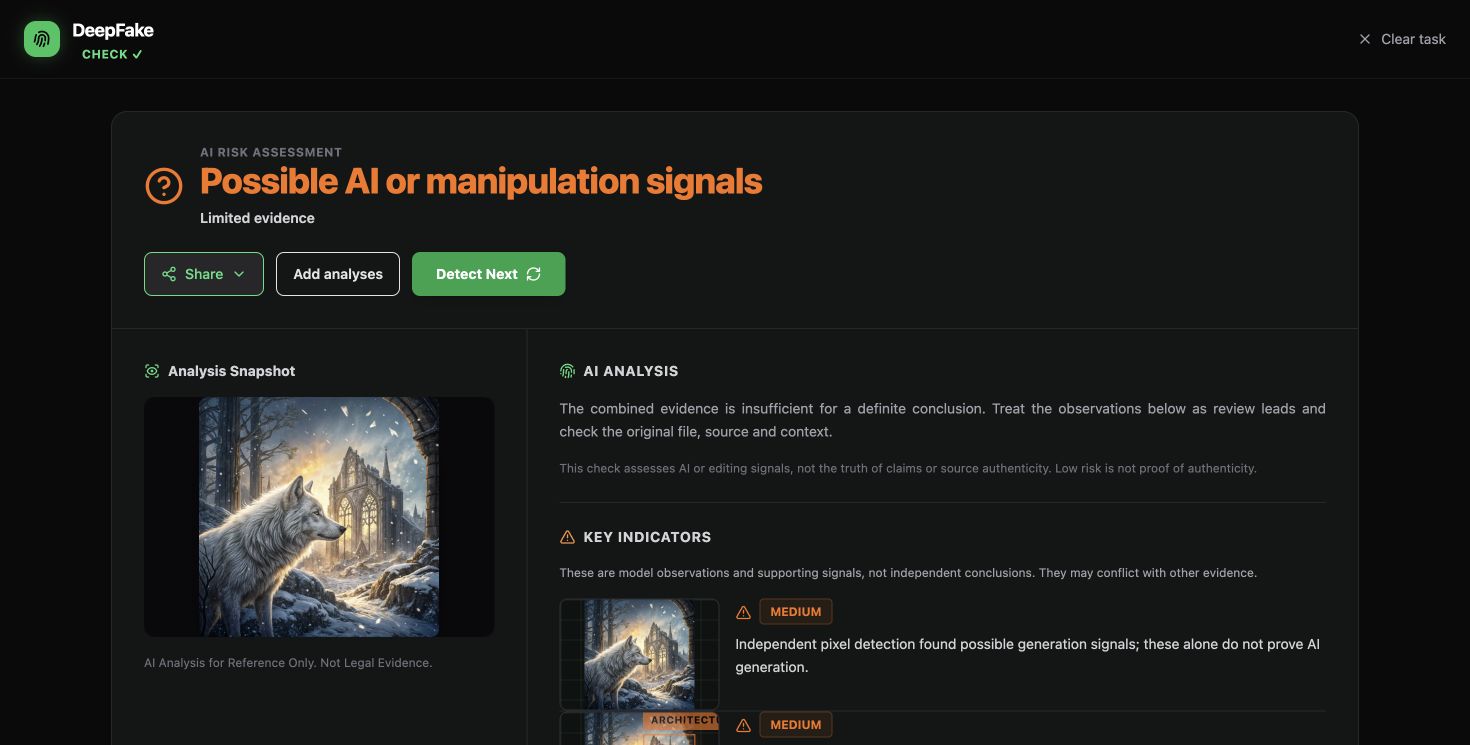
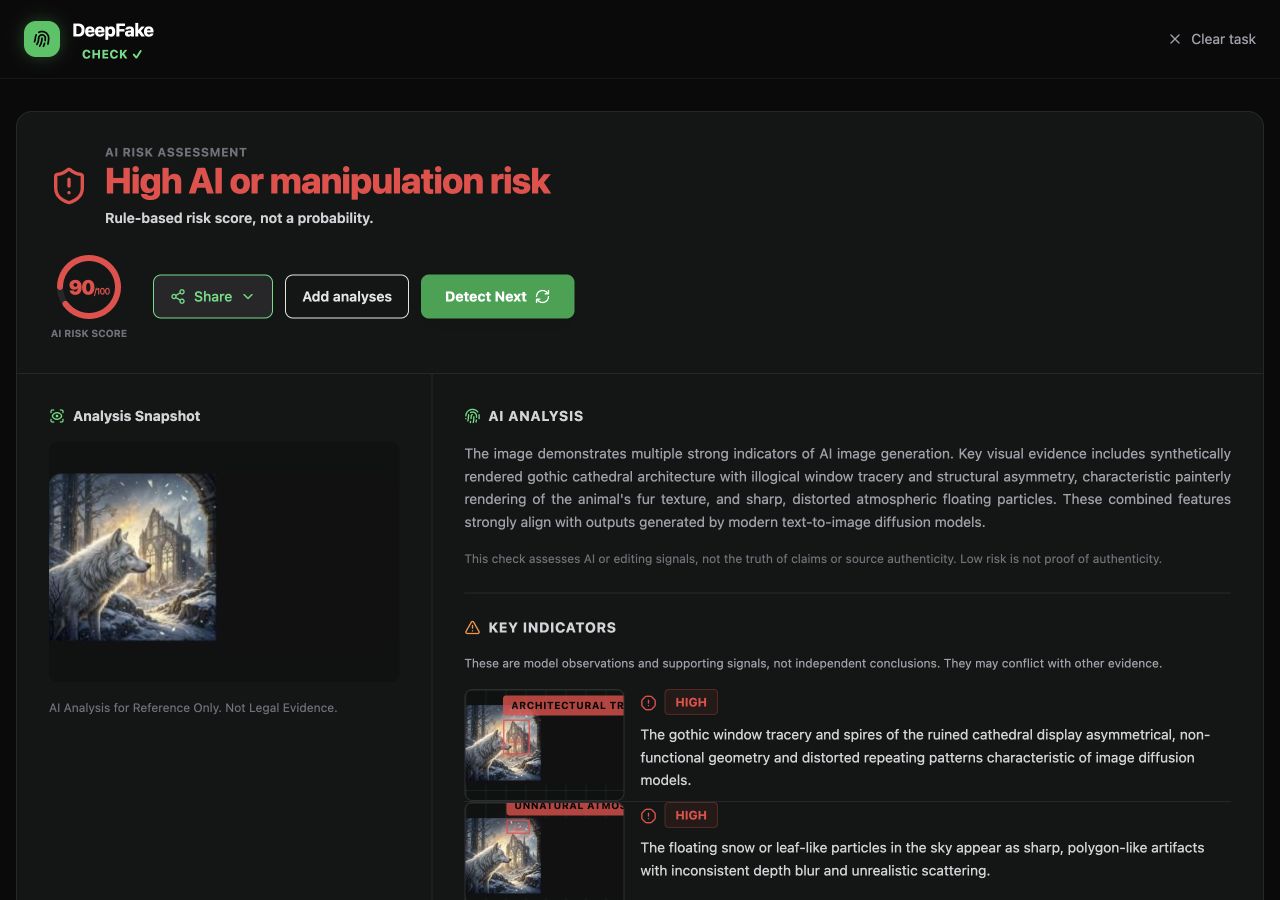
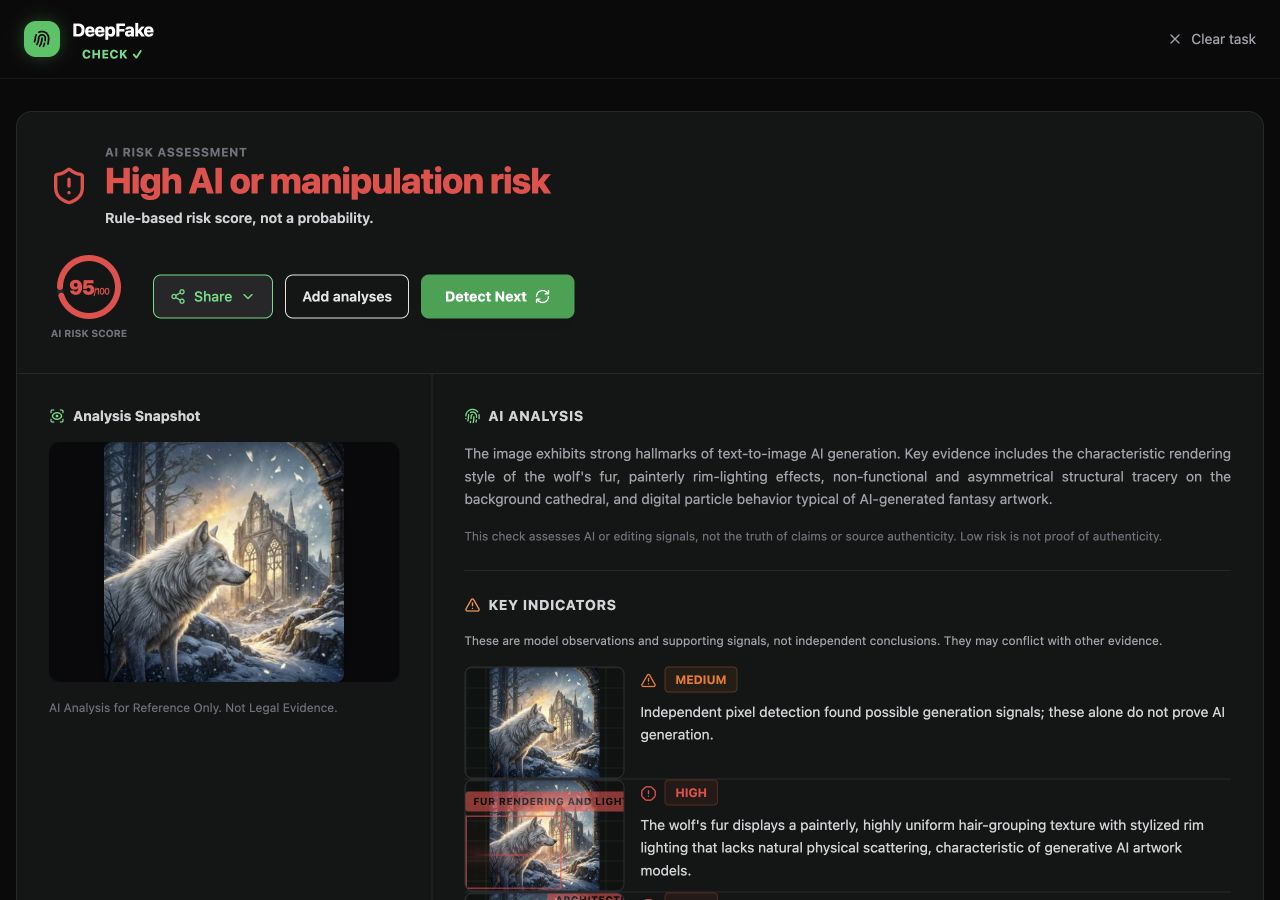
We checked one openly licensed AI artwork and a browser screenshot of it. The latest original-file check returned “Possible AI or manipulation signals” with limited evidence; the recorded screenshot check returned high risk. One known AI artwork is not an accuracy test.

1,536 × 1,536 · WebP
Limited evidence · no numerical score shown
View recorded result →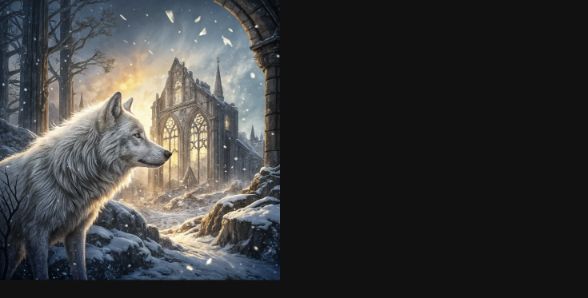
588 × 298 · JPEG
Recorded risk score: 90/100
View recorded result →Earlier checks returned 95/100 for the original and 92/100 for the screenshot; a later screenshot check returned 90/100. A later check of the original returned limited evidence. View the earlier original result. The known AI origin comes from the creator’s record, even when a detector is uncertain.
The screenshot shows the artwork at 280 × 280 pixels, inside a 588 × 298 browser capture. Size, framing and file format changed together. Model version and repeat-run variation were not controlled. We cannot attribute a score difference to any one change. A risk score is not a probability or proof of authenticity. This was not a WhatsApp forwarding test.
The source identifies the artwork as generated with Recraft v3 by VulcanSphere and released under CC0. That source record establishes the known origin; the detector result does not. Read the source and license.
Have a suspicious image? Keep the best available file, check its original publisher, then review the detector’s evidence alongside that source. A low-risk result cannot certify an image as real.
Check your image →Limited free allowance, no signup. Successfully analyzed uploads are retained for up to 7 days, then automatically deleted.
A detector can inspect a file. It cannot confirm the caption, the person behind an account or whether the event happened.
For the separate provenance check, see the C2PA explainer. A valid signed record and a factual caption answer different questions.
An AI image detector reviews a still image for signs it was generated or edited. DeepFakeCheck does that on this page: upload a JPG, PNG, or WebP file up to 50 MB. The browser reads an embedded C2PA Content Credential locally when the file still has one. An optional pixel check can add a separate signal. Google Gemini reviews visual consistency. Unsigned metadata is only a hint. The check does not name the generator and does not decode Google SynthID. No signup is required. A limited free allowance applies. The result is screening evidence, not proof the photo is real.
Use the deepfake detector when the file might be video or audio instead. A clip goes to the deepfake video detector, a voice note to the audio deepfake detector, and a swapped face to the face swap detector. Longer walkthroughs: how to detect AI-generated images and visual indicators of AI images. The same image check is in French and Russian. The French homepage is the détecteur vidéo IA.
We separate available evidence into up to three layers. Each layer catches a different class of AI-generated images, and unavailable signals are not treated as negative evidence:
The analysis looks for general generation and editing signals. It does not name the generator. Screenshots, heavy JPEG compression and social-platform resizing remove important forensic traces and should be treated as lower-confidence inputs.
Some Gemini and Nano Banana exports include an embedded C2PA Content Credential. If that manifest is still in the file, this same local reader verifies it and can show the claim generator, signer, and declared actions. The check does not decode Google SynthID, and it does not recover a credential from an invisible watermark after the manifest has been stripped. The Nano Banana detector page explains that limit and sends you back here to upload the image.
Many files are not fully generated. Generative fill, object removal, background replacement, and AI enhancement change only part of a photo. This check can surface conflicts in provenance, texture, edges, or lighting, but a clean result does not prove the picture is untouched. Ordinary crops, color correction, and other non-AI retouching are outside what the detector is built to identify. DeepFakeCheck also does not verify vendor-specific invisible watermarks, so a missing watermark is not treated as evidence.
Signed provenance, unsigned metadata hints, dedicated pixel signals and visual-model reasoning remain separate. One weak or missing signal is never presented as proof that the image is authentic.
An AI image detector reviews a still image for signs of AI generation or AI editing. On this page the browser reads an embedded C2PA Content Credential locally when the file still has one, an optional pixel check can add a separate signal, and Google Gemini reviews visual consistency. It does not name the generator, does not decode Google SynthID, and does not certify that the photo is real.
Upload the image to review signs that it may have been generated or edited by AI. The result is screening evidence. It does not certify that a photo, or the event it shows, is real.
It can help review partly changed photos, including generative fill, object removal, background replacement, and AI enhancement, when provenance, pixel, or visual signals conflict. A clean result does not prove the file is untouched. Ordinary crops, color edits, and other non-AI retouching are not what this detector is built to identify.
This detector cannot certify that a photo is real. Start with the original file, read the separate evidence layers, and compare the image with its source. A low-risk result or missing Content Credentials is not proof of authenticity.
Pixel model only, 28 October 2026: frontier-2026-08 AUC 0.953 on 477 images (254 AI, 223 real). At a 2% false-positive rate (4 of 223 real photos) it caught 178 of 254 AI images (70.1%). No full-system number yet. https://deepfakecheck.io/accuracy/
It may surface face-boundary or lighting inconsistencies, but subtle face swaps can be missed. Use the result for triage and get specialist review for high-stakes decisions.
Yes, with a weaker signal. A screenshot usually drops Content Credentials, metadata, and pixel detail. Use the original PNG or JPEG when you have it.
Missing C2PA data is not evidence that an image is fake. The file may never have had a manifest, or an editor, screenshot, or social platform may have removed it. Review the remaining layers and ask for the original file when the decision matters.
Upload the downloaded copy for a first look, and expect lower confidence because resizing and recompression remove detail. Compare it with the original camera or export file when you can.
Analysis content is retained for up to 7 days to evaluate and improve detection quality, then automatically deleted.
.webp)